

Pilupu
Invitations that feel like home.
Living Telugu and English invitations for every sacred occasion. Add your family, send in one tap, and watch the replies arrive.
Use it to
-
Send in one tap
Send every family their own invitation from your own WhatsApp number, in Telugu, English or both
-
Opens like a letter
Let guests open it like a letter and reply Yes, Maybe or No in seconds, with no app or sign-up
-
Replies as they arrive
See every reply as it arrives, with head counts and blessings
-
Pick a good day Panchangam
Check the day with Pilupu Panchangam: the muhurtham, times to avoid and better dates nearby, no RSVP app does this (optional)
- Telugu + English
- 12 ceremonies, 20 designs each
- Panchangam built in
- No guest sign-up

Pick a day the stars agree with.
No other invitation app does this. Before you send, Pilupu checks the Telugu Panchangam for the day you have in mind, so the muhurtham is on your side.
-
1Your day
- Gruhapravesam
- 14 Dec 2026Sun
-
2Check
- Abhijit muhurtham11:38
- Rahukalamavoid
- TithiDasami
-
3Better dates
- 16 Dec
- 21 Dec
- 19 Dec
-
4Send
- Muhurtham on the card
- Telugu + English
Pilupu Panchangam is guidance drawn from traditional almanac calculations, offered to help you choose, the final decision is always yours. It is optional and sits quietly beside the invitation designer.

MyMeetly
Find your people around the corner.
Add your closest friends. When someone in your loop is nearby and free, MyMeetly sends a quiet ping. From there, plan anything together.
Use it to
-
Mark yourself free
Mark yourself free and see which of your Looprs are free too
-
A quiet ping
Get a quiet ping when a friend is genuinely close by, showing an approximate area only
-
Plan a real trip Trips
Plan a coffee in twenty minutes or a multi-stop road trip, flight, train or bus, not just a ping that someone's nearby
-
Split the bills Split
Split the bills as you go, however you actually split them, right inside the same plan
- Mutual only
- Trip planning
- Bill splitting
- Approximate location
- Delete anytime
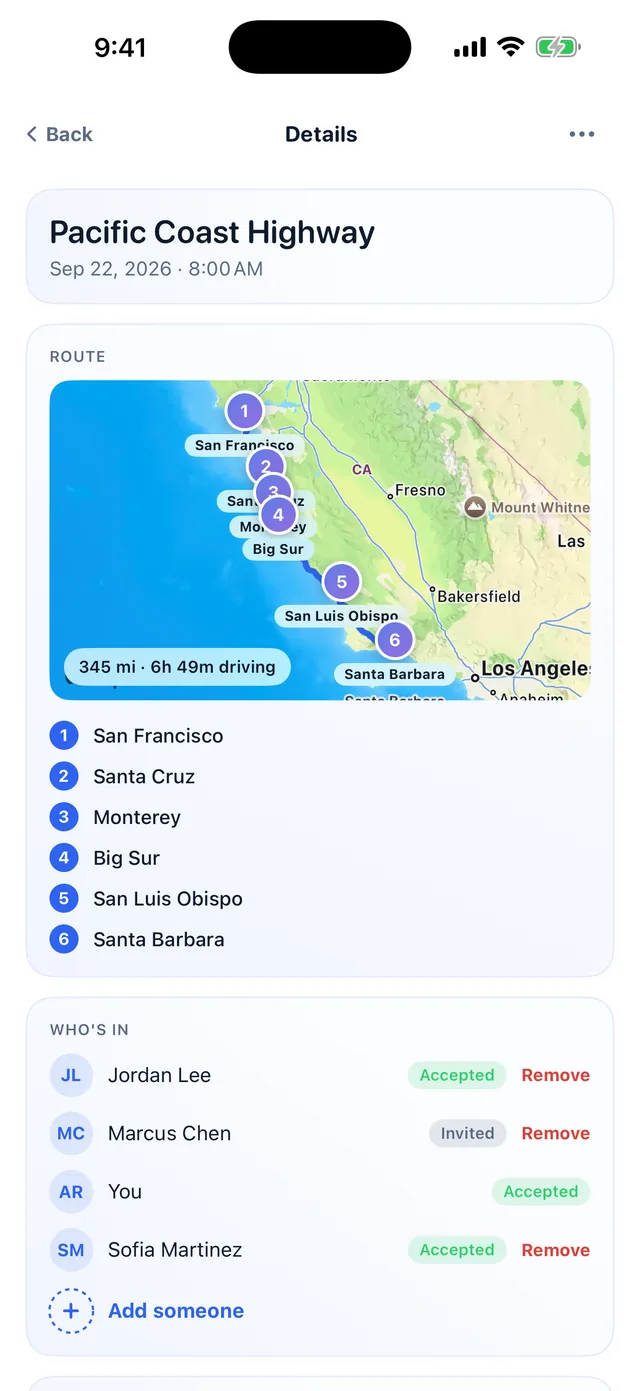
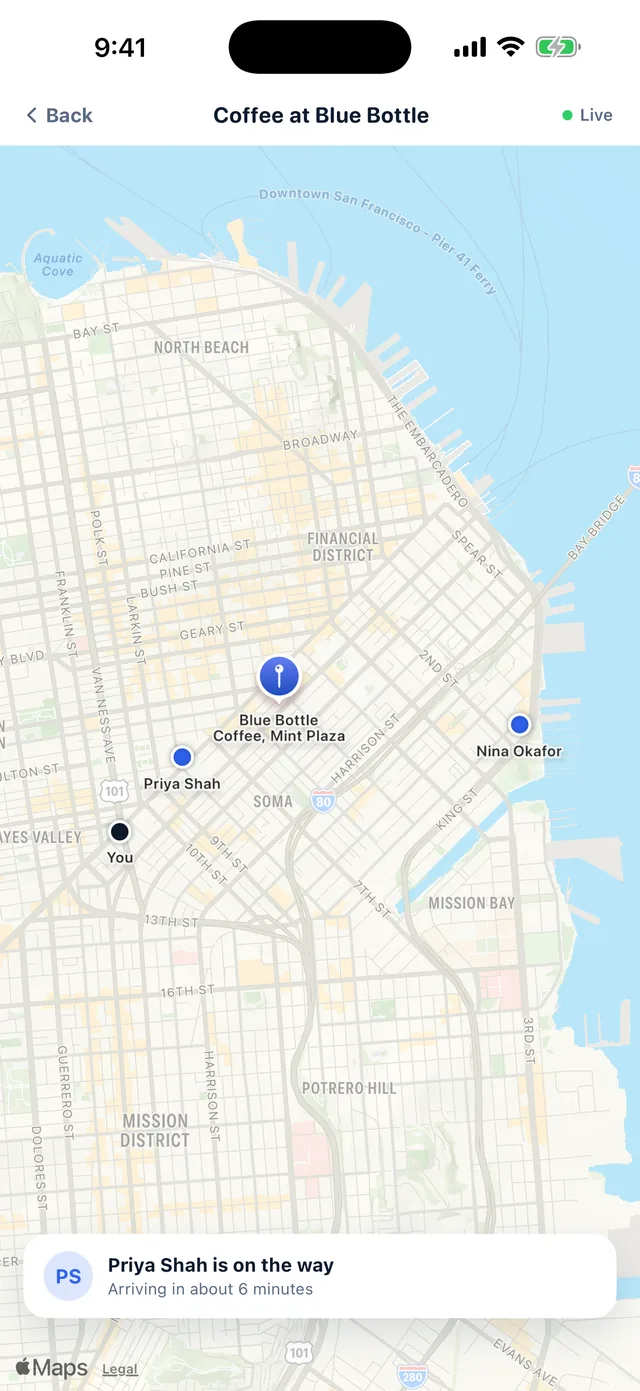
From a quiet ping to a real trip, bills and all.
Most apps stop at “a friend is nearby.” MyMeetly keeps going: turn that moment into a plan, map every stop, and settle the money without leaving the chat.
-
1Start
- Priya is free
- Coffee or a trip?
-
2Route
- SF → Santa Barbara
- 6 stops
- Drive · fly · train
-
3Who’s in
- Priya
- Sam
- Leo
-
4Split
- Gas$60
- Hotel$240
- Per head$100
Trips, live plans and bill splitting all live inside the same plan, so nobody is chased over text afterward. Location is always approximate and shared only with the friends you choose.

HeyAdmi
Your shopping list, made simple.
A shared shopping list your whole family actually uses. On Admi Day every shelf becomes one clean list, with no doubles and no forgotten milk.
Use it to
-
A shelf for everyone
Keep a shelf for each person, occasion or store, all in one shared home
-
Just say it to Siri Siri
Say “Hey Siri, add milk to Admi” and it lands sorted by aisle
-
Merge on Admi Day Admi Day
Merge every shelf on Admi Day: duplicates gone, quantities summed
-
Shop your way
Tick items off in the aisles, or open your favorite stores online one item at a time
- Add by voice with Siri
- Admi Day merge
- 8 stores
- Shared with family
- “Hey Siri, add milk to Admi”
- “Hey Siri, add paper towels to Costco in Admi”
- “Hey Siri, what’s on my Costco list”
Runs on your iPhone: private, instant, shared with your household.
One tap merges everyone’s shelves.
A card on your Home screen walks you through four steps: the whole shopping run, start to finish.
-
1Shelves
- Mom7 items
- Dad6 items
- Weekend BBQ7 items
-
2Merge
- Milk×4
- Eggs×12
- Burger buns
-
3Split
- Costco6
- Walmart5
- Instacart3
-
4Shop
- Bananas
- Milk
- Burger buns
Works with Amazon, Walmart, Target, Instacart, Kroger, Costco, DoorDash and Uber Eats. HeyAdmi hands off a list you choose to send, with no account linking and no affiliation with these retailers.